 DatumForms
Before you start
You need administrator access and a survey with available responses. Decide whether you want a filtered selection or all data.
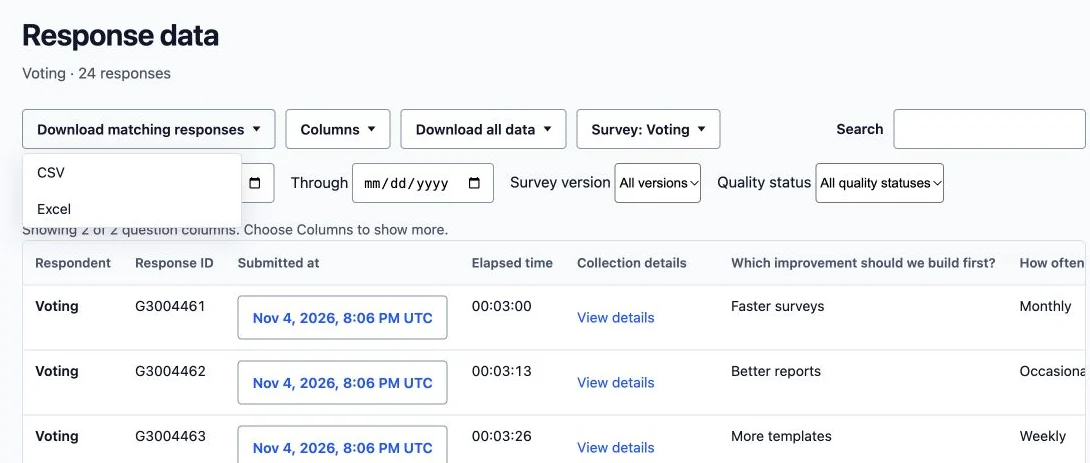
Open: Your project → Results → Response data.
Steps
- Select the correct survey and apply any required filters.
- Choose Download matching responses, then Excel, to export the matching answers.
- For the broader export options, open Download all data and select the required format. Keep response IDs and version columns for later reconciliation.
- Wait for preparation to finish and open the downloaded file. Compare its rows with the matching count and inspect a known response.
- Check the named collection-metadata columns and version-labelled answer columns before sharing the workbook.
Check the result
The workbook opens in Excel and contains the intended responses, including pages beyond the visible table page.
Troubleshooting
If the file seems short, check filters and the selected export scope. If preparation fails, retain the error and retry after confirming the session. Anonymous exports omit identifying system names and coordinates. Ordinary downloads do not automatically grant consented participant contact access.